
Getting ready for a cruise is one of the most exciting feelings in the world. You’ve picked out your outfits, planned your shore excursions, and started counting down the days. But amidst all the packing and preparation, there’s one small but crucial detail that often confuses first-time cruisers and veterans alike: the luggage tags. Unlike airlines where you get your tags at the counter, cruising works a little differently. You need to handle this part yourself before you arrive at the terminal. If you are stressing about the logistics, don’t worry. We’re going to walk you through exactly how to get luggage tags for Royal Caribbean cruise vacations so your bags arrive safely at your stateroom door.
Think of your luggage tag as your bag’s ticket to the ship. Without it, the porters at the pier won’t know where to deliver your suitcase. Royal Caribbean ships are massive floating cities, often carrying thousands of passengers and even more pieces of luggage. A properly attached tag ensures your formal wear and swimsuits don’t end up on Deck 3 when you are staying on Deck 10. It’s a simple process, but getting it right is the key to a smooth embarkation day. Let’s dive into the specifics so you can check this off your to-do list and get back to daydreaming about the pool deck.
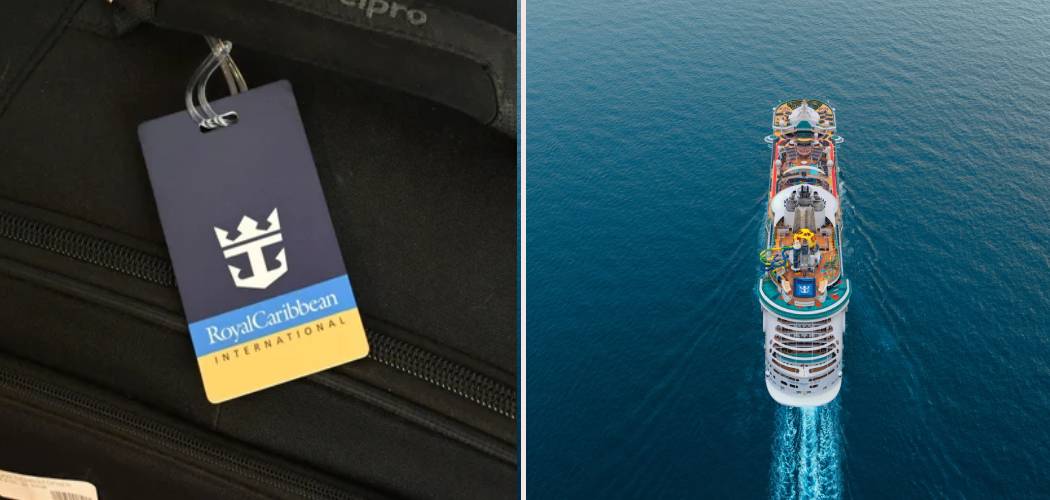
Simple Step-by-Step Guide to Your Cruise Tags
This process is entirely digital these days. Gone are the times when cruise lines mailed you a packet of documents with sticky tags included. Now, you have control over printing them when it’s convenient for you. Here is the step-by-step breakdown.
Step 1: Complete Your Online Check-In
Before you can even think about printing tags, you need to tell Royal Caribbean you are actually coming. The very first step in how to get luggage tags for Royal Caribbean cruise sailing is completing your online check-in.
You can do this through the Royal Caribbean website or their app. Check-in usually opens 45 days before your sail date. You will need to enter your passport information, set up your onboard expense account, and select an arrival time. It might feel like a bit of homework, but it’s necessary. The system won’t generate your final documents—including those all-important luggage tags—until this process is mostly complete. So, pour yourself a coffee, grab your travel documents, and get logged in. It usually takes about 10 to 15 minutes per person.
Step 2: Wait for Your Electronic Documents (eDocs)
Once you’ve checked in, you might be eager to print everything right away. However, your luggage tags are part of your “eDocs” (electronic documents), and these are typically ready about 30 days before your sail date.
If you check in 45 days out, you might have to wait a couple of weeks before the tags are actually available to download. Keep an eye on your email. Royal Caribbean will usually send a notification when your guest documents are ready. Alternatively, you can just log back into the “Manage My Cruise” section of the website periodically to check. If you see a button that says “View Boarding Documents” or something similar, you are in business.

Step 3: Locate the Luggage Tag Page
When you open your eDocs, you’ll see a large PDF file. This document contains your SetSail Pass (your ticket), your cruise contract, and a lot of fine print. Don’t let the length of the document overwhelm you. You want to scroll all the way to the very last page of this PDF.
This is where the magic happens. The last page is dedicated entirely to your Royal Caribbean luggage tags. It will be a specific design that includes your ship name, sailing date, deck number, and stateroom number. It’s colorful and distinct, designed to be easily read by the porters who are moving thousands of bags in a hurry.
Step 4: Print Your Tags Correctly
Now that you’ve found them, it’s time to print. You don’t need a fancy industrial printer for this; a standard home printer works just fine. However, color printing is highly recommended. The tags are color-coded based on the quadrant of the ship where your room is located. This color-coding helps the crew sort bags faster. If you only have a black-and-white printer, it’s not the end of the world—your room number is the most important part—but color helps.
Follow the instructions on the page. You will typically print the page and then fold it according to the guide lines. The folding reinforces the paper, making it a bit sturdier. This brings us to a pro tip: paper is fragile. It can tear easily during the rough handling of luggage loading. Many experienced cruisers wrap their paper tags in clear packing tape to waterproof and reinforce them. Even better, you can buy plastic luggage tag holders online specifically designed for Royal Caribbean tags. These protect the paper and attach securely to your handle with a steel loop.
Step 5: Attach Tags on the Day of Sailing
This is a crucial timing tip. Do not attach your Royal Caribbean luggage tags until the day of your travel, or better yet, the morning of the cruise if you are flying in. If you attach them before you fly, there is a high chance they will get ripped off by the airline baggage handling system.
Keep them safe in your carry-on or a folder until you land. Once you are at your hotel or heading to the cruise terminal, loop them onto your suitcase handles. Staple or tape the ends together if you are using the paper-and-tape method. Make sure the cabin number is clearly visible and not obstructed by other airline tags.

Frequently Asked Questions
Even with a simple process, questions pop up. Here are the most common inquiries regarding luggage tags for boarding.
What if I don’t have a printer?
If you don’t have access to a printer, or if you run out of ink at the last minute, don’t panic. You are not going to be denied boarding. When you arrive at the cruise terminal, simply find a porter. The porters are the staff members outside the terminal collecting bags. Tell them your stateroom number, and they will have blank tags available. They will handwrite your cabin number on a tag and attach it for you right there on the curb. While printing ahead of time is faster and recommended, this backup option is always available.
Can I use the same tags for my next cruise?
No, you cannot reuse old tags. Your luggage tags are specific to each individual sailing. They contain information about that specific ship, that specific date, and your specific cabin number for that trip. If you use an old tag, your bag could end up on the wrong ship or lost in the terminal. Always download and print the fresh tags for your current booking.
Do I need to know How To Get Luggage Tags For Royal Caribbean Cruise if I’m carrying my own bags?
This is a great question. If you plan to carry your luggage onto the ship yourself—known as “carry-on”—you do not need to attach these specific luggage tags. These tags are strictly for bags that you check with the porters at the curb to be delivered to your room later. However, keep in mind that you will have to haul your carry-on luggage around the ship with you until your stateroom is ready, which is usually around 1:00 PM or 2:00 PM. Most people choose to check their large suitcases and only carry a small backpack or tote bag.
What happens if my room changes?
Sometimes, lucky cruisers get an upgrade or bid on a better room through the Royal Up program. If your room assignment changes after you have already printed your tags, you need new tags. The old tags will direct your bags to your old room, and while the crew will eventually figure it out, it will delay your luggage delivery significantly. If your room changes close to the sailing date, log back in and see if the document has updated. If not, just use the porter method at the pier: tell them your new room number, and let them write a fresh tag for you.
Why are the tags on the last page of the PDF?
It’s just how the system generates the guest ticket booklet. The booklet is a comprehensive guide to your contract and voyage, and the actionable item—the tag—is placed at the end so it can be easily separated from the rest of the information. You don’t need to print the entire 20-page booklet; you can select “Print Current Page” in your printer settings when you are viewing the tag page to save ink and paper.

Should I put my name on the tag?
The generated tag usually has your name on it already, but it’s small. It is always a good idea to have a permanent, personal luggage tag on your bag as well—the kind with your name and cell phone number. The Royal Caribbean paper tag is for ship logistics; your personal tag is for identification if the paper tag gets ripped off. Having both ensures redundancy and safety for your belongings.
Conclusion
Understanding how to get luggage tags for Royal Caribbean cruise adventures is the final piece of the puzzle before you set sail. By completing your check-in early, printing your tags in color, and securing them properly to your bags, you ensure a seamless start to your vacation. No one wants to spend the first evening of their trip hunting down a missing suitcase.
Remember, this small preparation step saves you time at the pier. Instead of fumbling for a pen or waiting for a porter to write out a tag, you can simply drop your bags and head straight for the check-in line. Whether you tape them up yourself or buy fancy plastic holders, those tags are your luggage’s best friend. So get them printed, get them attached, and get ready to enjoy the open ocean without a worry in the world.



Leave a Reply